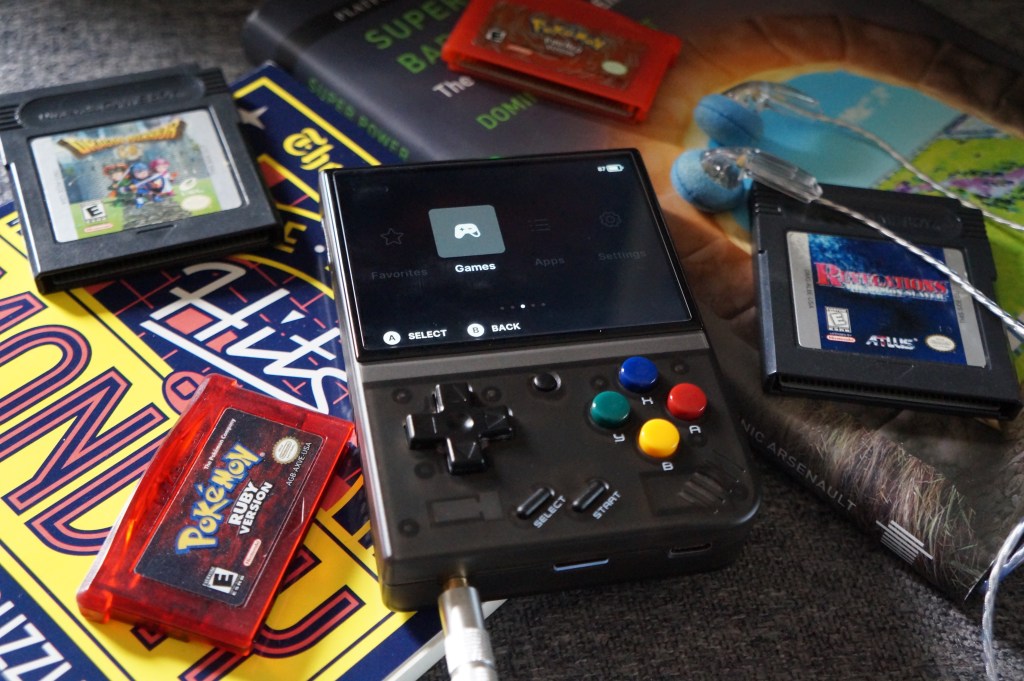
(Understand that the Mini + has weird stock issues. Miyoo likes to drop fixed stock of the console on their AliExpress like they’re limited edition Nikes, and scalpers are quick to scoop units up. I ended up buying the unit from a reseller on Amazon at a slight markup (~$83 with free shipping vs ~$70). If you’d prefer to avoid Amazon, be advised that some third party stores tend to engage in drop shipping and it may take longer for the unit to arrive.)
The Hardware Bits

The Mini + resembles the original GameBoy, with the curved right speaker corner, a bigger screen, and stubbier height. If you care about console specs, RetroDodo has a detailed overview here. I opted for the translucent black model. Build-wise, the Mini + is solid: the d-pad was responsive and the buttons were clicky. The Super Famicom buttons are cute but I’m not the biggest fan of their glossy texture. The unit didn’t have any noticeable hardware defects; the only issue I noticed was that the SD card, when inserted, was not fully flush with the bottom of the console, and sticks out slightly. Since my Mini + is mostly housed in a zip case, I’m not too concerned about the SD card getting pushed out by accident but it’s a weird oversight.
The Mini + has a gorgeous IPS screen with minimal bezels, which makes the console feel a bit more modern and premium. I’ll get into it more later, but since the console’s emulator can actually handle upscaling, the 2D games I’ve played on this unit look fantastic. However, because of the console’s size, I found it a touch uncomfortable to play for long periods of time. The smaller size makes the console more pocketable, but it’s not as ergonomic as I’d prefer and I ended up buying a grip. The Mini + is more geared towards short bursts of gaming, but gosh darnit, I’m determined to make this cute little emulator work for me.
The Software Bits

Out of the box, the Mini + runs off a custom version of Linux called GarlicOS. I messed around with the default OS for maybe less than 10 minutes. It’s..serviceable, but ugly and not very user-intuitive. I learned there are multiple custom operating systems made by the community to improve on GarlicOS. I opted to use OnionOS (ha), which adds plenty of nice features and allows me to better organize systems and games. Quick disclaimer, OnionOS is still in beta for the Mini +, so bugs might be present. I didn’t have any glaring issues aside from the Activity Tracker not working after a point.
Among other things, OnionOS enables some hotkeys for saving and loading save states, as well as rewinding and fast forwarding. Since the Miyoo + doesn’t have a true ‘sleep mode’, OnionOS has an alternative via creating a save state when the console is powered down, then loading the state upon boot. There’s also an emulation package organizer with the custom OS, and I toggled on/off the consoles I was planning on playing. OnionOS also has various apps baked in, like an Activity Tracker and a PDF reader for game guides. The community has also made some varied themes for the OS and installing them is as simple as dragging and dropping them onto the SD card.
The Mini + uses RetroArch for emulation and can emulate up to the PS1. I don’t care for RetroArch; the games run fine but the menus are a pain in the ass to navigate. Since games are launched from OnionOS’s frontend, it makes dealing with RetroArch easier. Everything I threw at the emulator ran well, including custom SNES chip stuff like Super Mario RPG. I’m excited to use the Mini + to explore some consoles I haven’t touched, like the Wonderswan and Neo Geo Pocket.
Actually Using This Damn Thing
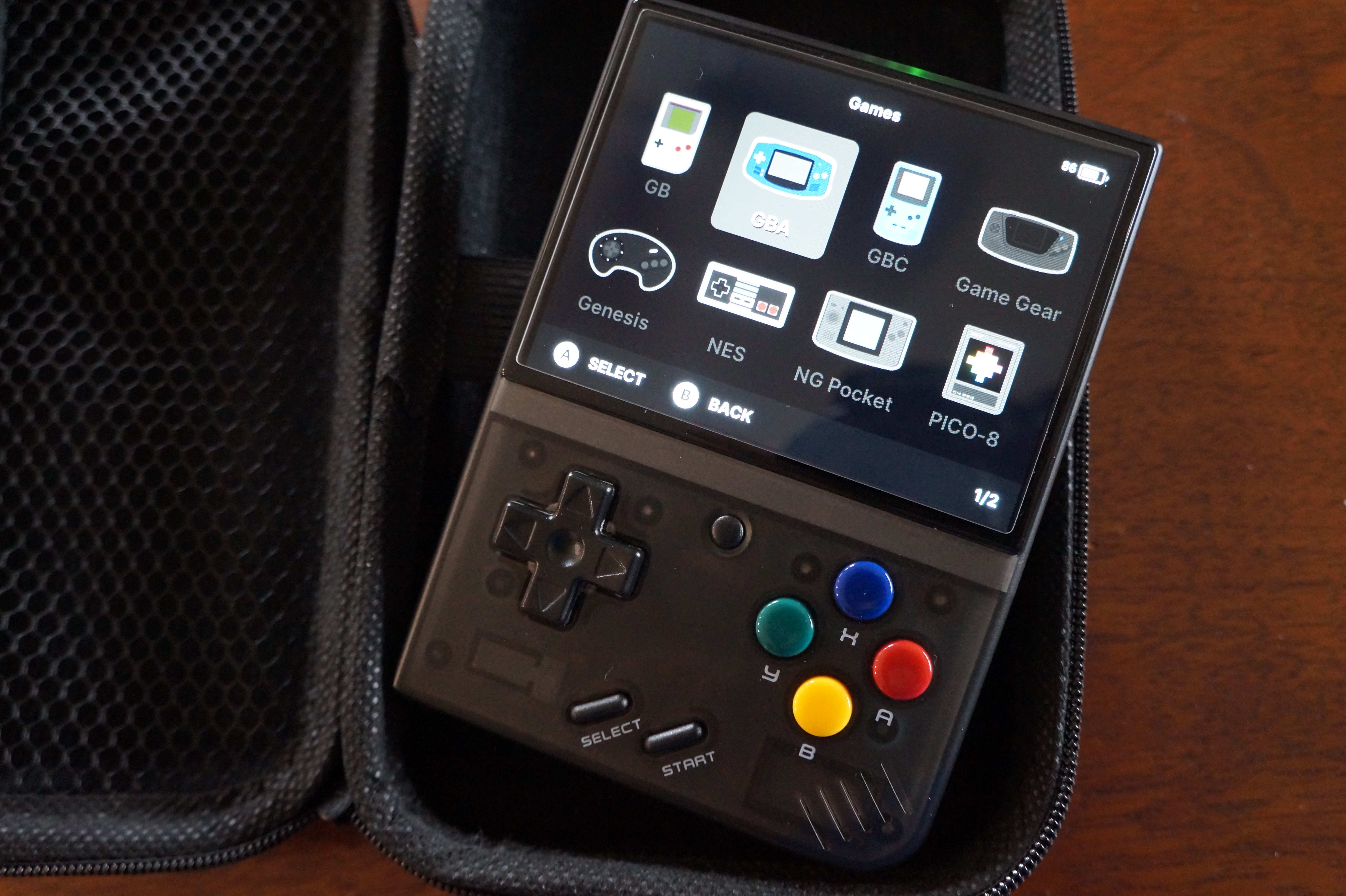
I wanted to use the Miyoo Mini + for about a month to get out of the “new toy purchase Honeymoon” phase and actually play some damn games instead of fiddling with ROMs and OS settings for hours. Since I’m using the Mini + between other consoles, I primarily cared about seeing its performance for the GB/C, GBA, and SNES.. I also wanted to gauge overall comfort with the device and how well it fit in with daily life.
I restarted a playthrough of Pokemon Crystal Clear, a ROM hack of, well, Pokemon Crystal. I’m very glad I opted to finish this game on the Mini +, because having the fast-forward option hotkey for RetroArch made the experience a LOT more enjoyable. I ran into an issue 2/3rds into the ROM hack wherein I had to grind my team up by refighting gym leaders constantly because the regular wild trainer pool dried up. Being able to fast-forward through fights was an immense help, and I’m glad I didn’t attempt to play through the game on a 3DS. Surprisingly, I haven’t really played many older JRPGs on emulators over the years, but it’s such a helpful function for grinding. Re-releases of various games, such as the 3DS port of Dragon Quest VIII, the various remasters of the PS1-era Final Fantasy games, and even the collection of the GB SaGa games include these features for a reason.
As puzzle games go, I got hooked on a GBA homebrew variant of Tetris called Apotris. I shrugged off Tetris for years (I’m more of a Panel de Pon/Puzzle League person), but Apotris genuinely slaps. It’s fast, it’s fun, and the soundtrack is full of catchy electronic bangers. I had to put a limit on myself to not play more than a couple of rounds in a given period of time so I can actually focus on other things or go to bed on time. My hope is the availability of pick up and play puzzle games will help deter mindless Reddit browsing.
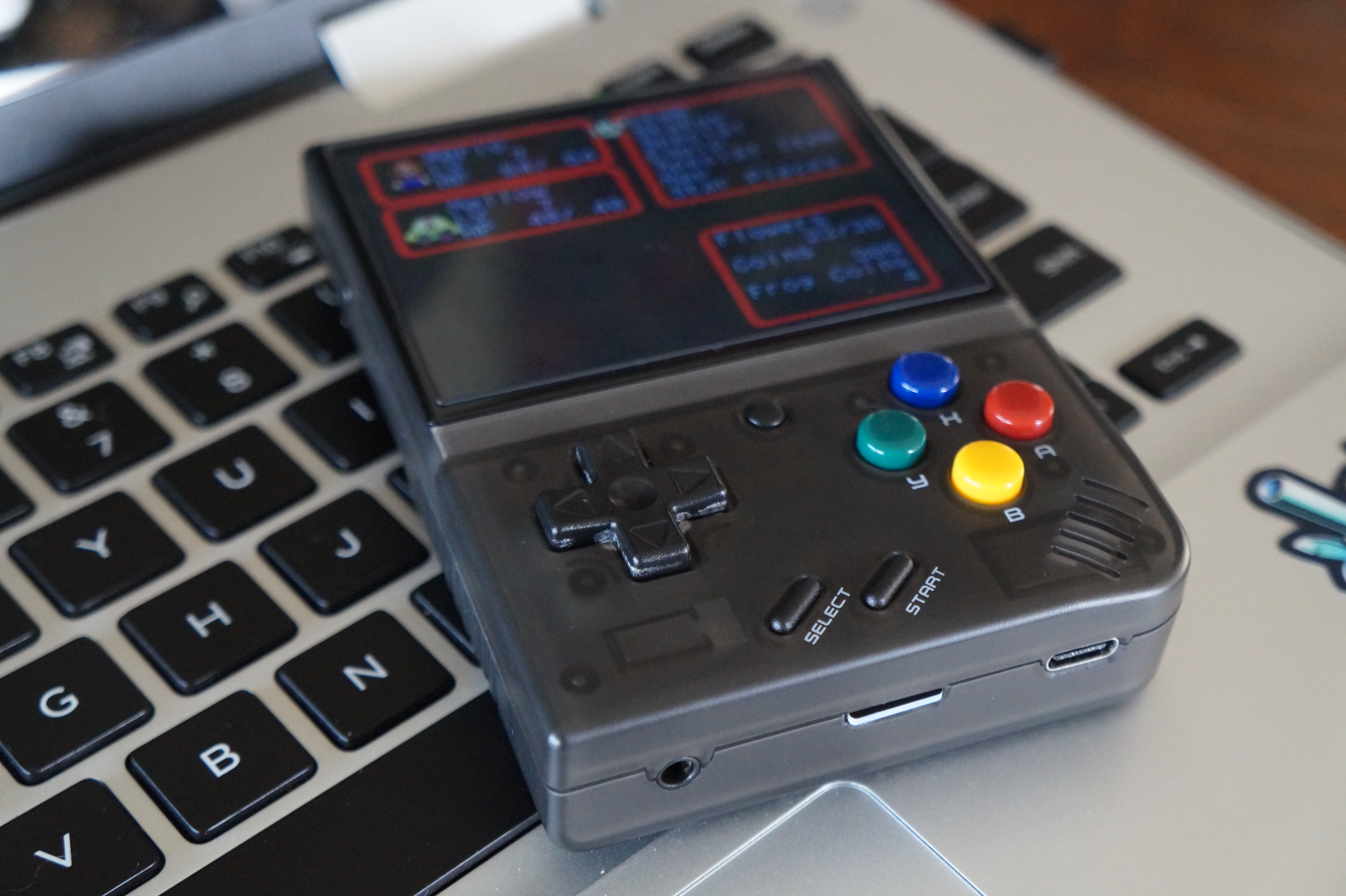
The Mini +’s screen, while lovely, is about as small as I can comfortably get with a handheld. It’s roughly the same size as a PSP Go’s screen, and functions best for, well, emulating other handhelds. SNES games are a bit zoomed out, but not too uncomfortable. PS1 games are where the screen size becomes an issue. Now, some criticism isn’t helped by the fact that I’ve spent the past 6-7 years playing PS1 games on a PS Vita, but the Mini +’s screen feels very cramped. It’s more noticeable with 3D games; 2D or 2.5D are a bit more tolerable. I’m still debating if I want to use the Mini + for a future playthrough of Xenogears or if that should be left to the Vita.
Playing around on the Mini + has made me aware of some of the console’s other shortcomings. As mentioned before, the console doesn’t have a true sleep mode; instead the “sleep mode” just turns the screen off and the unit will continue running. The quick save function from OnionOS is a workaround but not quite a solution. Additionally, the console’s lack of an HDMI function, while not a total dealbreaker for me, would be nice as an extra. I like integrating devices with my PC setup, so possibly being able to ‘dock’ the Mini + like it’s a tinier, retro game-based Switch appeals to me. On a related note, the Mini + lacks Bluetooth functions but has WiFi functionality for some reason? Again, lack of Bluetooth doesn’t drag down the console for me, but I’ve taken to using Bluetooth earbuds and headphones more often so I can concentrate on games for longer periods. I’m not really sure why WiFi was integrated into the console, since it can only be used for things like an FTP or OTA OS updates. It also works with RetroAchievements, but I don’t engage with that site. Something I’ve learned from lurking around the SBC gaming subreddit is that there will never be a “perfect” SBC device, so I’m willing to accept these issues.
Pros: Gorgeous IPS screen, coupled with good upscaling from RetroArch. OnionOS is easy to install and adds a ton of features. Solid unit build with good d-pad and buttons. Has a headphone jack and charges with USB-C. Very portable, with a small overall size.
Cons: Unit stock is limited. Screen is a bit too small for PS1 games. The unit’s small size is not ergonomically great for longer play sessions. Lack of true sleep mode, HDMI out, or Bluetooth functionality. Limited WiFi functions.
The Miyoo Mini + is my first foray into handheld emulators, and I’m hoping this unit, which I affectionately refer to as my “bootleg GameBoy”, will hold up for years to come. Now, if Miyoo is able to release a successor that addresses these issues with the Mini +, I might be tempted to replace it. The Mini + has its place amongst my console ecosystem, and I really wish I had something like it back in college and grad school. I’m eager to see the varied retro games now better available to me because of this portable emulator.
 Oddity Games
Leave a comment